
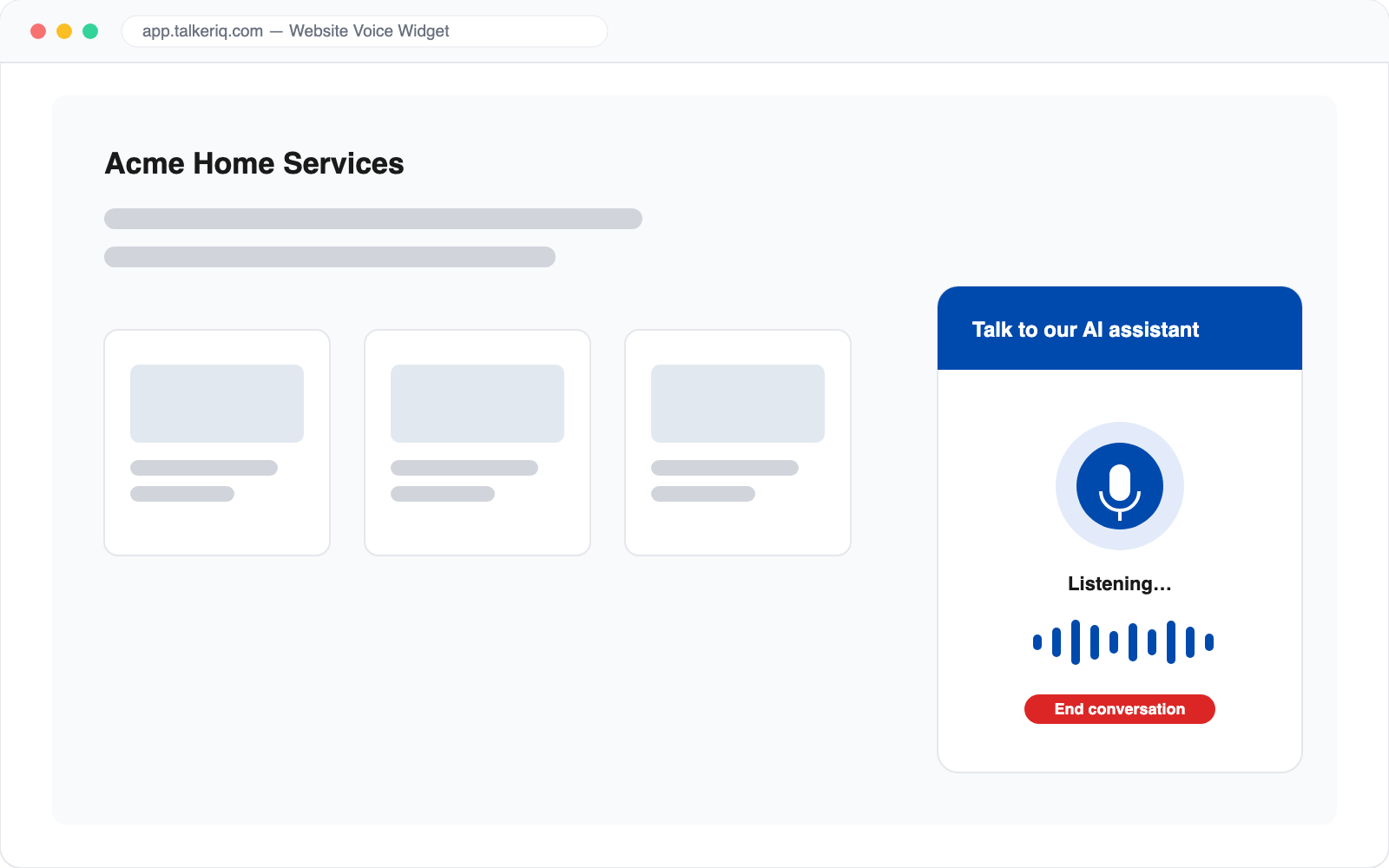
Paste one script tag and every visitor gets a "Talk to us" button that starts a live voice conversation with your AI agent — straight from the browser, no phone number to dial, no app to install. Questions answered, leads qualified, appointments booked, 24/7.
The fastest path from "just browsing" to a qualified lead
Generate your widget, copy the snippet, paste it before your closing body tag. Works on any site — WordPress, Shopify, Webflow, custom builds — with zero backend work.
Visitors click, allow the microphone, and talk. The same AI agent that answers your phone answers your website — same knowledge base, same voice, same booking abilities.
The web agent can check availability and book appointments through your Google Calendar, Outlook, or Calendly connection — mid-conversation, before the visitor bounces.
A built-in country-code picker and multi-language agents mean the widget works for visitors wherever they are — no phone charges, no international dialing friction.
Prefer typed leads? TalkerIQ also captures web-form submissions as an inbound lead source, feeding the same campaigns and follow-up automation as calls.
Web calls get the full treatment: recording, transcript, summary, post-call analysis, and CRM logging — identical to phone calls.
If you can paste, you can launch
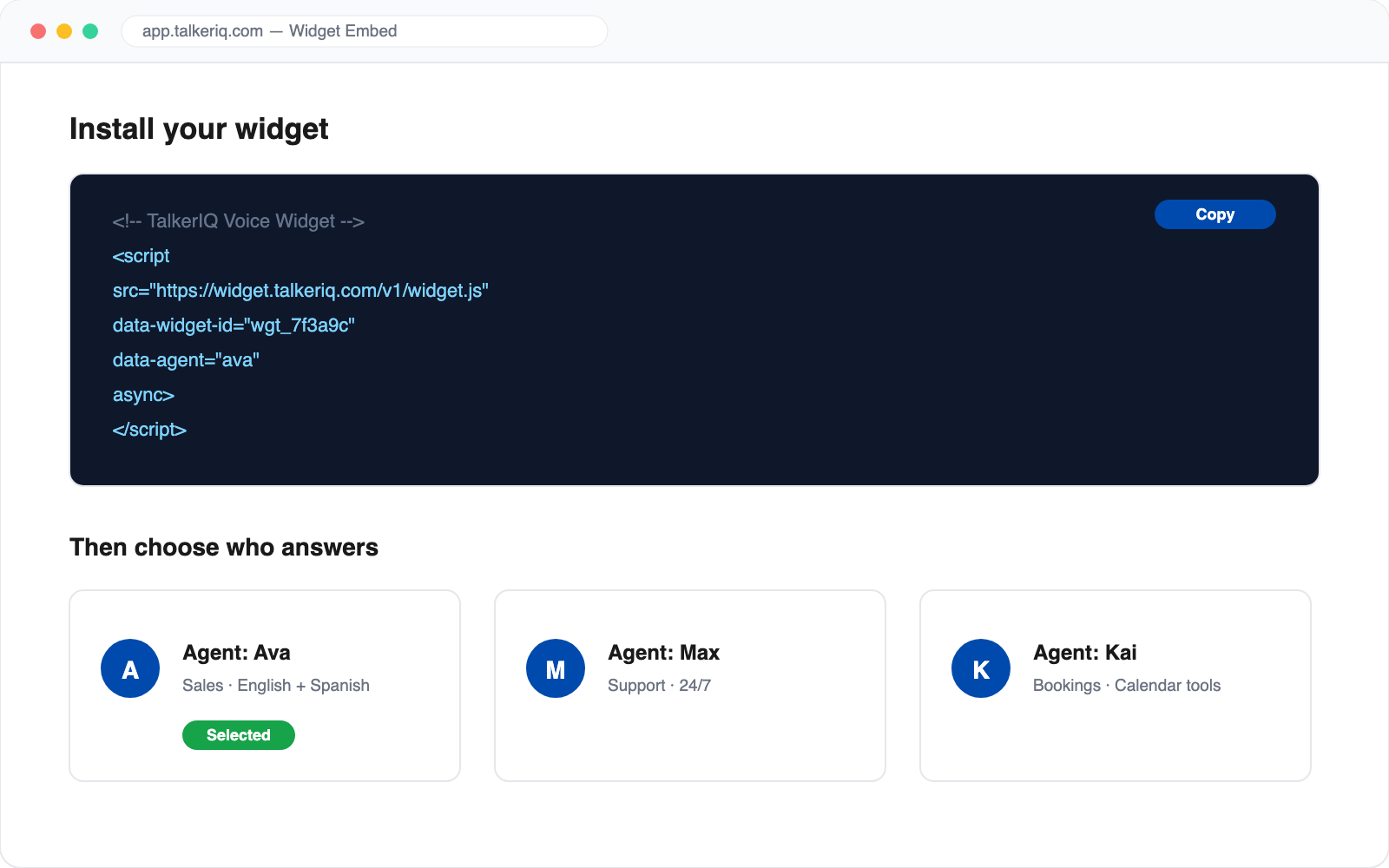
Create a widget in the TalkerIQ dashboard, pick the AI agent that should answer, and paste the generated script tag into your site's HTML. That's the entire integration — no backend code or plugins required.
No. The conversation happens over the browser's microphone and speakers as a live web call. Visitors click the button, grant mic access, and talk — from desktop or mobile.
Any site where you can add a script tag: WordPress, Shopify, Webflow, Wix, Squarespace, and fully custom sites.
Yes. The widget's agent has the same tools as your phone agents — it can check calendar availability and book meetings through Google Calendar, Outlook, or Calendly during the conversation.
Yes. Every web call produces a recording, transcript, summary, sentiment score, and any custom extracted fields, and is logged to your CRM just like a phone call.