
Define the fields that matter — budget, timeline, property type, callback preference — and TalkerIQ extracts them from every conversation automatically. Plus sentiment, outcome, and a summary, all synced to your CRM without anyone typing a word.
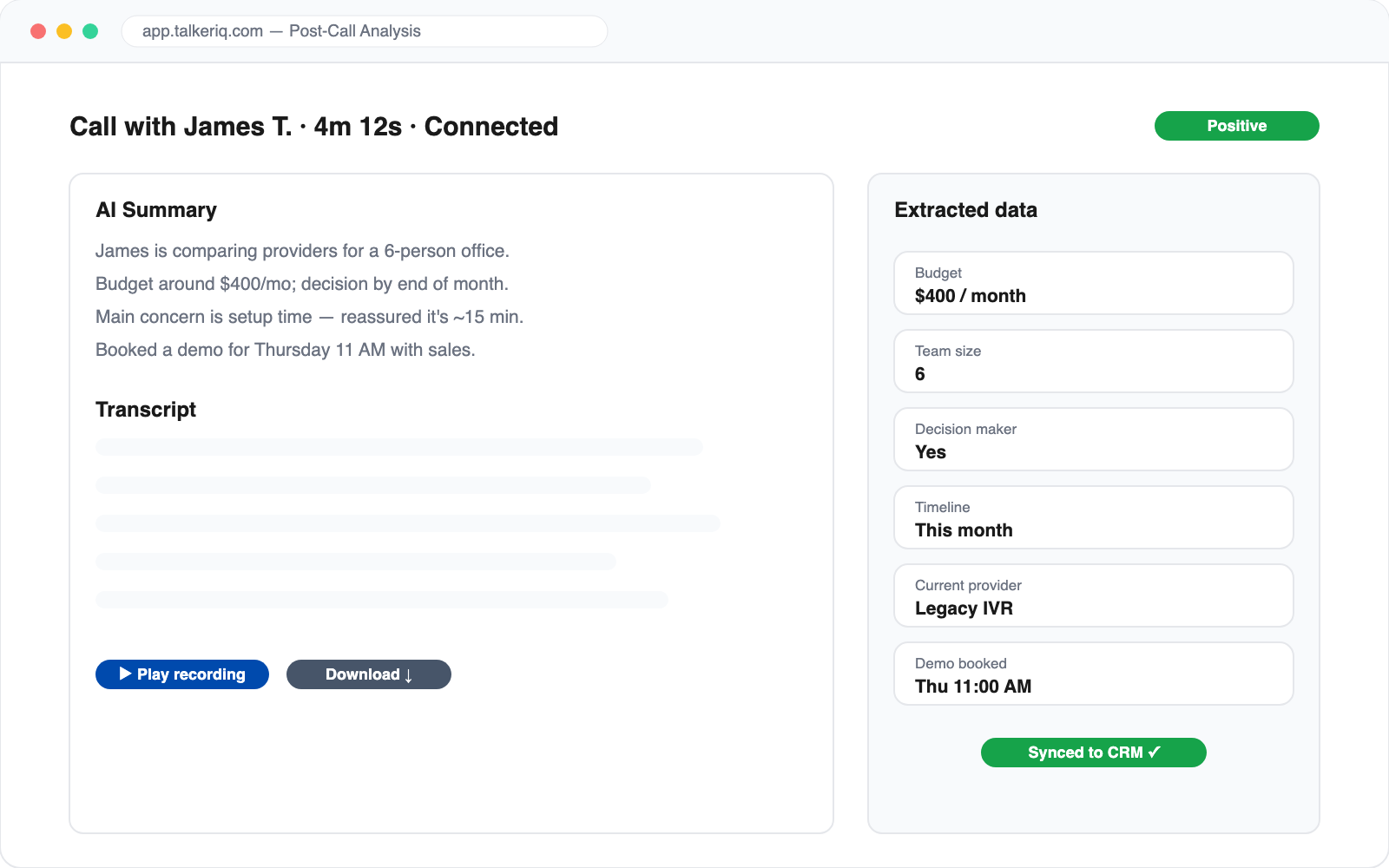
Your reps stop taking notes. Your data gets better anyway.
Define exactly what to capture — text, numbers, yes/no, or picklists. "What's their budget?" "Are they the decision maker?" The AI fills the fields from the conversation itself.
Every call is scored positive, neutral, or negative — so you can spot unhappy customers instantly and see sentiment trends across whole campaigns in campaign analytics.
Alongside extracted fields you get a concise summary, the full searchable transcript, the recording, and outcome tags — voicemail, transferred, connected, appointment booked.
Extracted data, summaries, and recordings land on the contact's timeline in HubSpot, GoHighLevel, Zoho, Pipedrive, or Follow Up Boss — mapped to your fields, minutes after the call ends.
Extraction results feed the rest of TalkerIQ: the AI re-attempt engine uses call outcomes to plan follow-ups, and analytics segments leads by what they actually said.
Inbound calls, outbound campaign calls, web calls from the website voice widget — every AI conversation gets the same treatment.
In the agent builder, add extraction fields with a name, type, and a plain-language description of what to look for. From then on, every call that agent handles produces those fields. Change the definition anytime — new calls pick it up immediately.
Fields the conversation didn't cover stay empty rather than being guessed. You see exactly what was learned on each call, and the AI can be scripted to ask for the fields that matter most so gaps stay rare.
A call summary, the full transcript and recording, an outcome tag (connected, voicemail, transferred, appointment booked), a sentiment score, and the values of every custom extraction field you've defined.
Text, numbers, booleans, and single-choice fields — for example budget range, preferred callback time, current provider, or whether the caller is the decision maker. You describe the field in plain language and the AI fills it from the conversation.
Yes. TalkerIQ maps extracted fields and call activity to connected CRMs — HubSpot, GoHighLevel, Zoho, Pipedrive, and Follow Up Boss — so the contact record updates without manual entry.
Yes. Every AI call is scored positive, neutral, or negative, and sentiment distribution is visible in the dashboard and campaign analytics so you can monitor conversation quality at scale.
Yes. Outcomes and extracted data feed TalkerIQ's campaign engine — for example routing a high-intent lead to a faster follow-up path or pausing outreach after a negative conversation — and can fire webhooks to your own systems.