
Connection rates, call trends, sentiment, outcome tags, and a heatmap of when your leads really pick up — for every campaign, live. Filter down to any segment, export it, or turn it into a new campaign with one click.
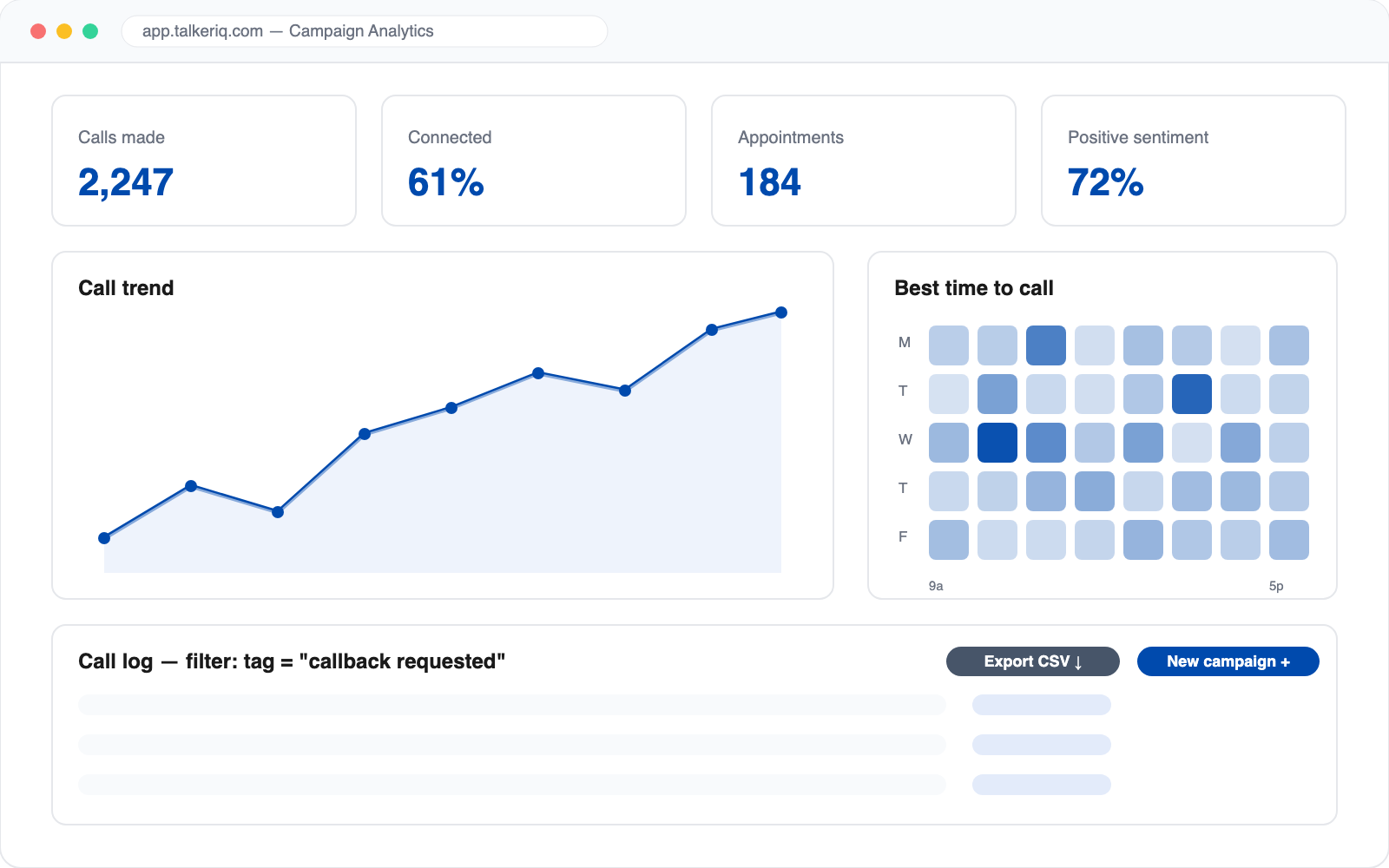
Every campaign answers the questions that matter: is it working, when, and for whom
Calls made, connected, missed, voicemail drops, transfers, appointments booked, and SMS activity — the numbers that define campaign health, updated as calls complete.
An hour-by-day grid of when your calls actually connect. Stop guessing whether Tuesday at 10 beats Thursday at 4 — the heatmap shows your list's real answer pattern.
See how conversations felt (positive / neutral / negative) and how they ended (tags like interested, callback requested, wrong number) across the whole campaign.
Slice the campaign's calls by outcome, tag, sentiment, or date; open any row for the recording, transcript, and summary; export the filtered set to CSV.
Filtered a segment worth another shot — say, everyone tagged "callback requested"? Create a new campaign from that exact filter in one click, list included.
Drill from campaign totals down to a single contact's full sequence — every call, text, retry decision, and outcome on one timeline.
The activity heatmap plots successful connections by hour and day of week for your actual list — not industry averages. Once a pattern emerges, tighten the campaign's calling windows around it, or let the AI re-attempt engine use those patterns per lead automatically.
Yes — that's the point of create-from-filter. Any filtered slice of call logs (tag, sentiment, outcome, date range) becomes the contact list of a new campaign in one click. Pair it with a fresh flow from the flow builder and your follow-up campaign is live in minutes.
Calls made, connected, missed, and transferred; voicemail drops; appointments booked; inbound and outbound SMS; call trends over time; sentiment distribution; and outcome tag distribution — all filterable by date range.
A grid of call connections by hour of day and day of week, built from your campaign's real results, so you can see exactly when your audience answers and schedule accordingly.
Yes. Any filtered view of the campaign's call logs exports to CSV, including outcomes, tags, sentiment, and timestamps — ready for your BI tool or client report.
It takes the contacts matching your current call-log filter — for example every lead tagged interested but not yet booked — and starts a new campaign targeting exactly those contacts, in one click.
Yes. Each contact has a sequence journey timeline showing every attempt, channel, retry decision, and outcome in order, with links to recordings and transcripts.